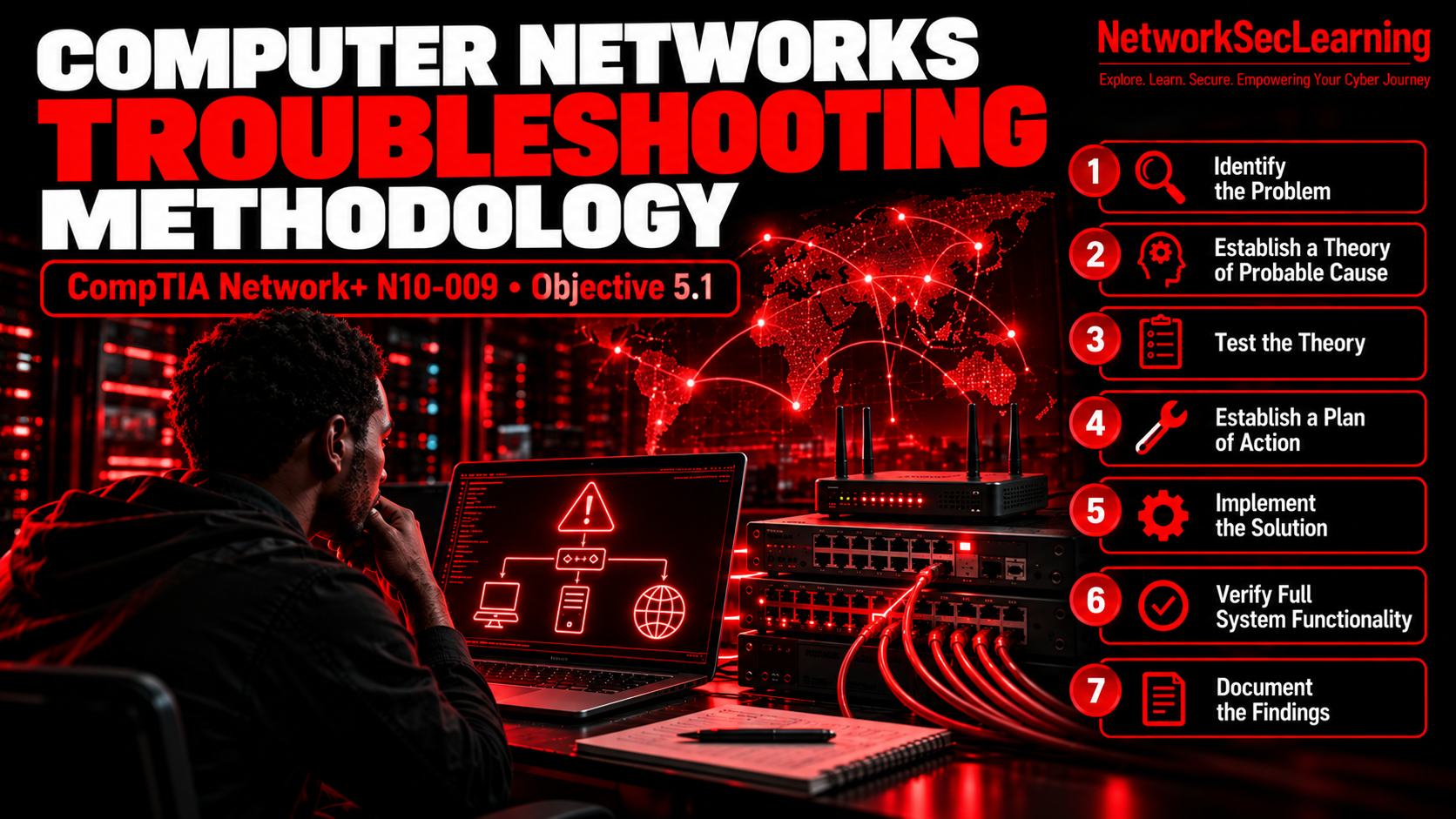
Welcome dear NetworkSecLearners to this new tutorial in which we are going to explore something that every Network professional needs to master which is Computers Networks Troubleshooting Methodology. 😊
If you are preparing for the CompTIA Network+ exam, this is one of the topics that you need to learn because it is part of the exam. Indeed, Computer Networks troubleshooting is part of Domain 5 Network Troubleshooting which covers 24% of the exam, the highest percentage. As you now familiar with CompTIA, for each domain, there are many objectives. Today, we will cover in this article the objective 5.1 which is Explain the Troubleshooting Methodology. So, this article is gold for you if you are preparing the CompTIA Network+ certificate. But, even if you are not preparing for any certification, understanding a structured approach to troubleshooting is one of the most valuable skills you can develop in IT. Because most of the time when a network goes down, people start panicking around you so that having a clear methodology in your head is the difference between fixing the problem and making it worse.
In fact, beginners when they face a Network issue immediately start changing settings, rebooting things and hoping for the best. And sometimes it works but more often, it creates new problems on top of the original one. Therefore, a structured methodology shall be followed to prevent that.😉
In this article, we are going to walk through the seven steps of the CompTIA troubleshooting methodology one by one with concrete examples so you can actually use this in real life and not just on an exam.
Well, enough talking, get ready and let’s get started with the first step of this Network Troubleshooting Methodology which is Identify the Problem.😉
1. Identify the Problem
This is where everything begins but this is also the step that most people rush through. for instance, when most people hear “the internet is down”, most of them immediately start unplugging cables, switching On/Off some devices and sometimes making things worse. So, please, do not be that person and follow this first step. 🤲🙏
The goal of this first step is indeed to gather as much information as possible before you touch anything. You need to first understand what is actually happening not what people think is happening because those are often two very different things.
Here are the exact actions that you shall perform for this first step :
1.1 Ask Questions to the Users
You should first ask the Users to describe the issue in their own words. What exactly is not working ? What were they doing when the problem started ? Did they see any error messages ? How long has this been going on ? Is anyone else experiencing the same problem ?
1.2 Ask about recent changes
This one is critical. Did the user install something new ? Did they change any settings ? Did someone from IT push an update ? Most of the time, a surprising number of network issues happen right after someone changed something and forgot to mention it.
1.3 Check for environmental or infrastructure changes
Was there a power outage recently ? Did the office move floors ? Is there construction work nearby that could have damaged a cable ? These things sound trivial but they cause real outages. And before you proceed to the next steps, always think about performing a backup especially in case you are about to replace hardware or make configuration changes. Indeed, a backup ensures that if something goes wrong during your troubleshooting, you can always go back to where you started.
In order to understand this well, an analogy is like a doctor asking you questions before running any tests when you are sick and go ask for a consultation. The better the questions, the faster the diagnosis. I hope you got how important is this first step.😊
2. Establish a Theory of Probable Cause
Now that you have gathered all the information you can, it is time to make an educated guess about what is causing the problem. That is essentially what this step is : forming a theory based on the symptoms you observed.
The key principle here is question the obvious first. If a computer cannot connect to the network, check if the cable is plugged in before you start reconfiguring the switch. It sounds silly but you would be amazed how often the simplest explanation turns out to be the right one.
When forming your theory, ask yourself : is this a hardware problem, a software problem, an operating system issue, a driver issue or an application issue ? Narrowing down the category helps you focus your investigation.
There are three classic approaches you can use :
2.1 Top-to-bottom
Start from the application layer (Layer 7 of the OSI model) and work your way down to the physical layer. This is useful when the issue seems to be application-related.
2.2 Bottom-up
Start from the physical layer (Layer 1) and work your way up. This is the most common approach for Network issues because Physical problems like a bad cable or a disconnected port are extremely frequent.
2.3 Divide and Conquer
Start from a midpoint in the OSI model and test. Based on the result, you determine whether the problem is above or below that point. This is the fastest approach when you already have a good intuition about where the issue might be.
In order to conclude this second step, I would like to remind you one important thing which is not to work in isolation. Therefore, if you work in a team, check with your colleagues if one of them has already encountered the same issue or may have already started troubleshooting it. There is no point in two people independently trying to fix the same problem.
3. Test the Theory to Determine the Cause
You have a theory. Now you need to test it. And this is important : test without making configuration changes yet. You are only trying to confirm or deny your theory at this stage not fix the problem.
For example a user reports that their computer will not turn on. Your theory might be it is unplugged from the wall. You test this by checking if the cable is connected. If the computer turns on after you plug it in, your theory is confirmed and you can move on to resolving the issue.
But what if the computer is plugged in and still does not turn on ? Then your theory is not confirmed. You need a new theory. Maybe the wall outlet is faulty. You can test this with a multimeter or by plugging the computer into a different outlet.
This step has three possible outcomes :
Theory Confirmed : you know the cause and can proceed to the next step.
Theory Not Confirmed : go back and establish a new theory based on what you have learned so far.
You lack the skills or authority to test further : escalate. There is absolutely no shame in escalating. In most organizations, support is structured in tiers. Tier 1 handles basic issues, Tier 2 handles more complex ones and Tier 3 involves subject matter Experts and System Administrators. Knowing when to escalate is itself a skill.
4. Establish a Plan of Action
Your theory is confirmed and you know what is wrong. Therefore, now you need to decide how to fix it.
You generally have three options which are to repair the faulty component, replace it entirely, or create a workaround while you wait for a permanent solution.
The choice depends on several factors. What is cheaper, repairing or replacing ? What does your organization’s policy say ? Is this a critical System that needs to be back online immediately even with a temporary fix ?
For example, if a Network Switch fails and you have a Spare, replacing it immediately might be the right call even if the original Switch could be repaired. On the other hand, if a single port on a 48-port switch is faulty, a workaround like moving the cable to another port might be perfectly fine while you order a replacement.
The key here is to have a plan before you start touching things. Not just “I will fix it” but a plan that considers what resources you need, how long it will take, how much it will cost and who else will be impacted by the change.
5. Implement the Solution
Now you execute the plan. But before you do, there are a few important things to keep in mind :
5.1 Consider the impact
Rebooting a user’s laptop affects one person. Rebooting a server can affect the entire organization so you need to make sure you understand the impact scope of what you are about to do.
5.2 Get permission
Most organizations have change management policies for a reason. If your fix involves rebooting a production server, updating Firmware on a Switch or replacing hardware, you may need approval before proceeding. So, always make sure you get approval before performing any change.
5.3 Stick to the plan
If during implementation you realize you need to do something different from what was planned, stop and get reauthorization. Improvising during a fix is how small problems become big outages.
6. Verify Full System Functionality
You have implemented the solution and the problem seems to be fixed and think you are done? The answer is No and sorry to disappoint you. haha😂 This step is about making sure that your fix actually resolved the root cause and did not create any new problems. Because fixing one thing and breaking another is unfortunately very common.
So, that is what you should check :
Does the original problem still occur ? If the user could not access the network, can they access it now ? Not just once but consistently ?
Are there any side effects ? Did your fix disconnect other users ? Did it disable any services ? Check the logs for any abnormalities.
Is the system functioning as well as or better than before the issue ?
Once everything checks out, this is also the right time to implement preventive measures. If the issue was caused by a user downloading something they should not have, educate them. If it was caused by a configuration that was too permissive, tighten it. If you keep seeing the same issue repeatedly, propose a policy change to your Management. At this moment, your job is not only just to fix the problem but it is also to make sure it does not happen again.
7. Document Everything
This is the final step and the one that most technicians skip because they are already mentally on to the next ticket. Do not skip it. 😉
Documentation means recording three things : what was wrong, what you did to fix it and how to prevent it in the future.
Most organizations use a trouble ticketing System for this. Tools like Freshdesk, Jira, HelpScout or Intercom are common examples. The specific tool does not matter as long as it allows you to document your findings, actions and outcomes.
Why is this so important ?
It helps other technicians : The next person who encounters the same issue can find your documentation and solve it in minutes instead of hours.
It enables trend analysis : If your ticketing system shows that 30% of all tickets are Password Resets, maybe it is time to implement a self-service Password reset tool. That kind of insight only comes from documented data.
It justifies resources : If your team is drowning in tickets because a new System was deployed without user training, documented ticket data is how you prove to Management that you need more Staff or better Training Programs.
Start documenting as soon as you identify the problem. Update your documentation as troubleshooting progresses. And for complex issues, update regularly so that if someone else needs to take over, they know exactly where you left off.
CONCLUSION
Thank you for reading this article till here. 😊
As we have seen, the Troubleshooting Methodology is not just an Exam Topic. It is a real-world framework that will save you time, prevent you from making things worse and make you a better Network Professional.
Let’s recap the seven steps :
- Identify the problem : gather information, ask questions, make backups
- Establish a theory of probable cause : question the obvious, use a structured approach
- Test the theory : confirm or deny without making changes, escalate if needed
- Establish a plan of action : repair, replace or workaround
- Implement the solution : consider impact, get permission, stick to the plan
- Verify full system functionality : confirm the fix, check for side effects, prevent recurrence
- Document everything : what happened, what you did, how to prevent it
My personal advice : the next time you face a network issue, resist the urge to immediately start changing things. Take five minutes to go through steps 1 and 2 properly. Those five minutes will save you hours of frustration. Trust me on this one. 😊
I hope this article helped you understand the troubleshooting methodology. As always dear NetworkSecLearners, keep learning, stay curious and stay secure ! 😊
If you enjoyed this one, please share it with someone who is preparing for their Network+ exam, leave a comment below telling me about your worst troubleshooting experience and subscribe to my newsletter so you never miss the next tutorial. It really helps the blog grow and it means a lot to me. 😊
REFERENCES
CompTIA Network+ (N10-009) Exam Objectives. CompTIA. https://www.comptia.org/certifications/network
Dion, J. (2024). CompTIA Network+ (N10-009) Study Notes. Dion Training. https://www.diontraining.com